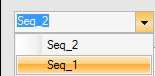
The selection list is saved in the project, that means after a further start of the program and loading of the project, the selection list appears unchanged.
| Procedure | |
|
|
Enter the name in the entry Name. |
|
|
Click on Store sequence. |
Defined data sequences can be saved in two various kinds:
| Procedure | |
|
|
Enter the name in the entry Name. |
|
|
Click on Store sequence. |
| Procedure | |
|
|
Click on Store. |
|
|
The window file selection is opened. Continue in usual manner. |
Import of a text file

The entries of the actual displayed sequence will be overwritten.
| Procedure | |
|
|
Click on Load. |
|
|
Continue in usual windows manner. |
Delete a sequence
Stored sequences can be deleted at any time.
| Procedure | |
|
|
Select the desired sequence by clicking on the corresponding line of the selection list. |
|
|
Click on Remove sequence. |
